
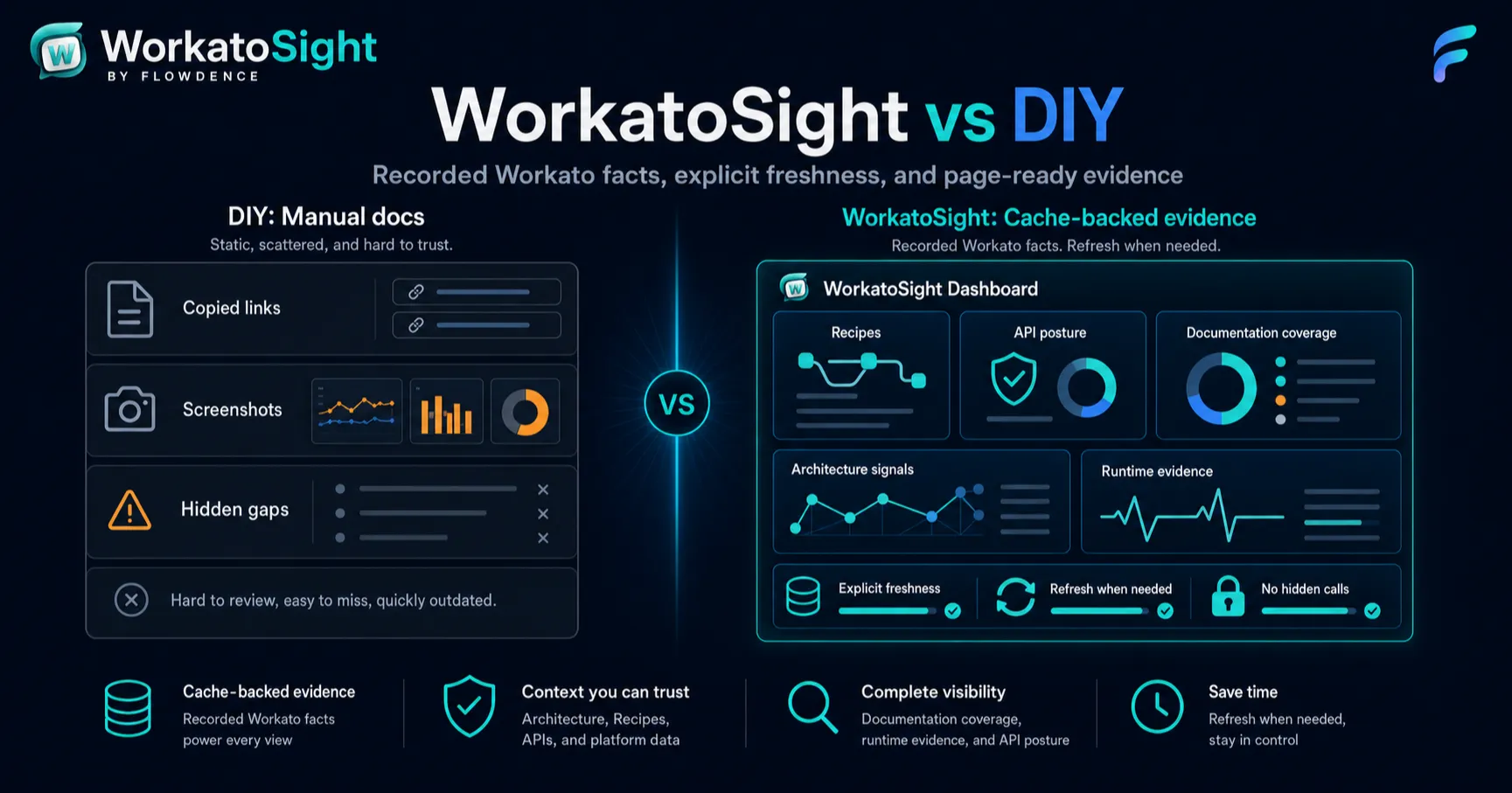
As of June 27, 2026, Workato teams documenting integration architecture in Confluence usually choose between two patterns:
- DIY documentation with prose, screenshots, tables, and Workato links.
- A cache-backed documentation layer such as WorkatoSight for Confluence.
Both can be useful. The right choice depends on how much Workato evidence the team needs to keep current inside Confluence.
WorkatoSight is a Flowdence product and is not affiliated with, endorsed by, or sponsored by Workato.
Methodology
This comparison focuses on Confluence documentation workflows for architects and developers:
- Recipe architecture pages.
- Integration runbooks.
- API governance pages.
- Runtime support pages.
- Configuration reference pages.
- Documentation coverage review.
It does not compare WorkatoSight with Workato itself. Workato remains the source system for automation and integration execution. WorkatoSight is a Confluence documentation layer for selected customer-configured Workato context.
Comparison Snapshot
| Need | DIY Workato docs | WorkatoSight |
|---|---|---|
| Explain integration intent | Strong | Strong |
| Show Workato facts from source evidence | Manual copy or screenshots | Cached Workato facts |
| Keep page reads fast | Usually fast | Cache-backed reads |
| Avoid hidden live Workato calls on page load | Depends on custom scripts | Design principle |
| Show freshness | Manual note | Freshness states and timestamps |
| Convert Workato links into macros | Manual | Supported for recognized Workato URLs |
| Page-local API posture | Manual | Workato APIs byline and API macros |
| Documentation coverage scan | Manual review | Explicit bounded scan |
| Workato URL links | Manual | Rendered when cached evidence supports durable URLs |
Where DIY Works Well
DIY documentation is still valuable for architecture narrative:
- Why the integration exists.
- Which business process owns it.
- Which teams support it.
- What tradeoffs were made.
- What the escalation path is.
- Which risks need human review.
No tool should replace that writing. A good architecture page needs human judgment, not only system facts.
DIY also works well when the Workato footprint is small and stable. If a team has a handful of Recipes and rarely changes API exposure, a simple page with links and diagrams may be enough.
Where DIY Starts To Strain
The maintenance cost rises when pages need current Workato evidence:
- Screenshots go stale.
- Tables stop matching the current Recipe or endpoint.
- Raw links do not explain status.
- API review pages drift from real endpoint and client posture.
- Runtime evidence is hard to summarize consistently.
- Reviewers cannot tell whether a page was checked recently.
The failure mode is subtle. The page still looks credible, but readers cannot tell whether it reflects current Workato state.
Where WorkatoSight Helps
WorkatoSight helps when Confluence pages need repeatable Workato evidence:
- Recipe macros render cached Recipe context.
- API Endpoint and API Security macros render cached API posture.
- Runtime Evidence macros summarize cached Workato Jobs.
- Config Data macros show lookup table and project property context without exposing secret values.
- Bylines summarize page-local Workato Architecture or API context.
- Documentation Coverage records findings for unconverted, stale, unknown, or page-local API reference issues.
- Freshness views explain when cache slices were refreshed.
The app is most useful when teams need architecture pages that can be reviewed, refreshed, and explained.
The Key Difference: Evidence Boundary
DIY docs usually mix narrative and evidence in the same manual editing process. Someone copies a value, pastes a screenshot, or updates a table. That is flexible, but it is hard to audit later.
WorkatoSight separates the boundary:
- Authors write the narrative in Confluence.
- WorkatoSight records Workato facts through explicit refresh and scan paths.
- Readers see cached facts and freshness state.
- Pages do not silently call Workato just because someone opened them.
That boundary is useful for governance, support, and operational review.
Which Approach To Pick
Choose DIY documentation when:
- The Workato estate is small.
- The page is mostly narrative.
- Freshness does not matter.
- API exposure is low.
- Reviewers do not need repeatable scan evidence.
Choose WorkatoSight when:
- Confluence pages need live-adjacent Workato context.
- Architects need Recipe, Project, Connection, API, runtime, or configuration evidence.
- API governance review belongs in Confluence.
- Documentation Coverage findings would save manual review time.
- Page readers need visible freshness and stale semantics.
Many teams should use both. WorkatoSight supplies source-system evidence. Authors still write the architecture story.
Final Verdict
WorkatoSight is most valuable when Workato architecture docs are operational pages, not static reference pages. If a Confluence page supports an API review, incident response, release discussion, or integration ownership conversation, cache-backed Workato evidence makes the page easier to trust.
For the first rollout, start with one real page and one real use case. If WorkatoSight makes that page more explainable, expand from there.
FAQ
Is WorkatoSight better than manual Workato docs?
WorkatoSight is better when teams need repeatable, cache-backed Workato evidence in Confluence. Manual docs can still work for static narrative, diagrams, decisions, and context that does not come directly from Workato.
Should teams still write narrative architecture docs?
Yes. WorkatoSight should complement narrative architecture docs. The app supplies cached Workato evidence; teams still write ownership, intent, design decisions, escalation notes, and tradeoffs.
When is a DIY Workato documentation approach enough?
DIY documentation may be enough for a small number of stable Recipes, low API exposure, and teams that do not need freshness, page-local bylines, or repeatable documentation coverage scans.